Tech Tips From The Bench · Computing History
CueCat: The '90s Failed PC Gadget That Tried to Replace URLs
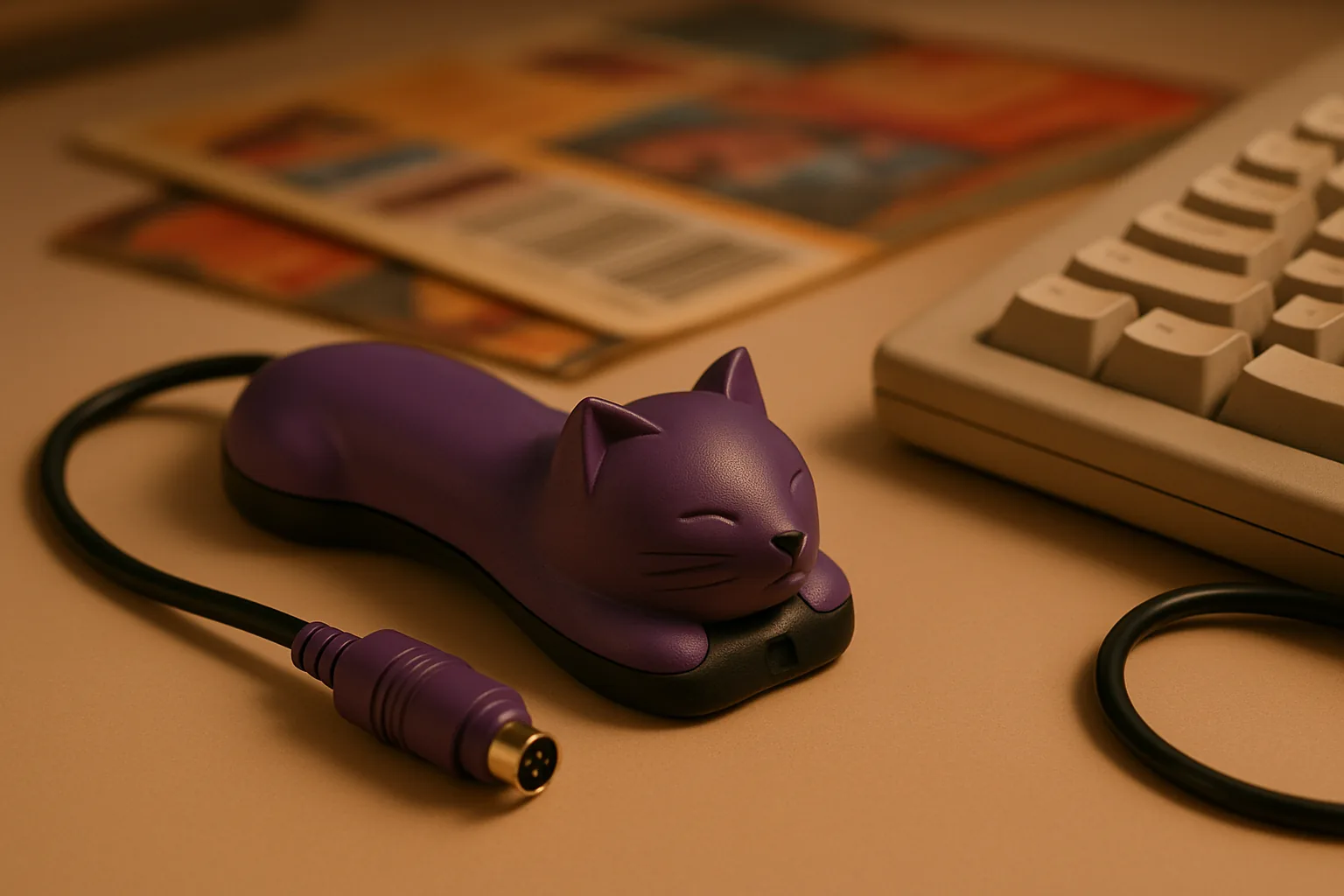

In the year 2000, millions of Americans received a strange cat-shaped device in the mail that promised to change how they used the internet forever. The CueCat was supposed to let you scan barcodes in magazines and newspapers to instantly visit websites, eliminating the need to type URLs. Instead, it became one of the most infamous failed PC gadget stories in computing history, and its lessons are still relevant for Turlock computer users today.
What Was the CueCat PC Gadget?
The CueCat was a PS/2 barcode scanner developed by Digital Convergence Corporation and distributed free to millions of users through partnerships with Radio Shack, Wired magazine, and Forbes. The device plugged into your computer’s keyboard port and looked like a small cat with LED eyes.
The concept seemed brilliant on paper: scan special barcodes printed in magazines and newspapers, and your browser would automatically open the advertiser’s website. No typing, no typos, just point and scan.
Digital Convergence raised over $185 million in funding and distributed an estimated 14 million units. Major publications printed CueCat-compatible barcodes alongside their ads, betting that physical media could bridge the gap to the digital world.
Why This Failed PC Gadget Crashed So Hard
The CueCat’s failure wasn’t due to a single flaw but a perfect storm of misguided assumptions about how people actually use technology. Here in Turlock and across the Central Valley, we see similar patterns when clients invest in gadgets that sound good but don’t match real-world needs.
- It solved a problem nobody had.By 2000, most internet users were comfortable typing URLs or using search engines. Adding a physical scanner added friction rather than removing it.
- It required magazines and scanners in sync.You needed both the physical publication and your computer nearby, which contradicted how people actually read magazines—on couches, in waiting rooms, away from their desks.
- The privacy tracking was creepy.Each device had a unique ID that tracked every scan, sparking immediate privacy concerns before such surveillance became normalized.
- Hackers cracked it immediately.Within weeks, programmers had reverse-engineered the encoding and published open-source drivers, undermining the company’s business model.
- It competed with free alternatives.Search engines like Google were becoming dominant, offering a faster, easier way to find websites without any additional hardware.
By late 2001, Digital Convergence filed for bankruptcy. The CueCat joined the ranks of tech’s most spectacular flops, alongside the Betamax and the Apple Newton.
What the CueCat Teaches Us About Modern Tech
At our Turlock computer repair shop, we help clients make smart technology decisions every week. The CueCat’s failure offers timeless lessons that apply to today’s gadgets and software.
- Convenience must be genuine.A technology that claims to save time but actually adds steps will always fail. Think about whether a new gadget truly simplifies your workflow or just sounds cool.
- Privacy matters more every year.The CueCat’s tracking features were ahead of their time—and not in a good way. Today’s smart devices often have similar tracking, so read those privacy policies.
- Free doesn’t mean valuable.Digital Convergence gave away millions of CueCats, but couldn’t force people to use them. Evaluate products on usefulness, not just price.
- Closed systems don’t survive.The CueCat used proprietary encoding that hackers quickly broke. Open standards and interoperability win in the long run.
These principles apply whether you’re choosing antivirus software, considering a smart home device, or deciding whether to upgrade your operating system. Technology should serve you, not the other way around.
Today's CueCat-Style Gadget Mistakes
The spirit of the CueCat lives on in modern technology products that promise revolutionary convenience but deliver disappointment. Recognizing these patterns helps you avoid wasting money.
- QR codes that lead nowhere.Businesses print QR codes that open websites mobile users could find faster by typing. Unless the code provides exclusive content or genuine shortcuts, it’s CueCat thinking.
- Smart gadgets that need constant apps.Kitchen appliances, light bulbs, and other devices that require smartphone apps for basic functions often add complexity rather than convenience, especially when the app gets discontinued.
- Proprietary charging cables and dongles.Devices that abandon standard connectors force you into an ecosystem lock-in that mirrors the CueCat’s closed platform approach.
- AI features nobody asked for.Just like the CueCat solved a non-existent problem, many current products add AI capabilities to tasks that work fine without machine learning.
Here in Turlock, we see clients struggling with these modern equivalents—printers that demand subscription ink services, software that forces cloud connectivity for local tasks, and peripherals that become e-waste when the manufacturer stops supporting them.
How to Avoid Failed PC Gadget Purchases
Making smart technology purchases requires a practical evaluation process. After helping Turlock residents and Central Valley businesses with computer decisions for years, we’ve developed a simple framework.
- Identify the actual problem.Write down the specific frustration or inefficiency you’re trying to solve. If you can’t articulate it clearly, you probably don’t need the gadget.
- Research existing solutions.Check whether your current hardware or software can already address the problem with different settings or workflows. Many “problems” are actually just unfamiliarity.
- Calculate real time savings.If a gadget claims to save time, do the math. A device that saves 30 seconds daily but requires 5 minutes of setup and syncing isn’t actually efficient.
- Check long-term support.Research the manufacturer’s track record for supporting older products. A gadget from a company with a history of abandoning products is a risky investment.
- Evaluate ecosystem lock-in.Determine whether the product forces you into a specific platform or works with open standards. Flexibility protects your investment.
If you’re unsure about a potential purchase, stop by our shop at 2101 Geer Rd Suite 101 in Turlock. We’re happy to give you an honest assessment without trying to sell you something you don’t need.
PC Peripherals That Actually Add Value
Not all computer peripherals are doomed to CueCat status. Some genuinely improve your computing experience and solve real problems that Turlock users face daily.
- Ergonomic keyboards and mice.If you spend hours at your computer, these prevent real physical problems like carpal tunnel syndrome and back pain. The benefits are measurable and immediate.
- External backup drives.Local backups protect your data from ransomware, hardware failure, and cloud service outages. This addresses a critical, universal need.
- Quality monitors with proper resolution.A good display reduces eye strain and increases productivity. The improvement is noticeable within hours, not weeks.
- Surge protectors and UPS units.In the Central Valley, power fluctuations are common. Protection devices prevent expensive hardware damage from electrical issues.
The difference between these and the CueCat is simple: they solve problems that actually exist and make daily tasks genuinely easier without adding complexity.
When you’re ready to upgrade your setup with peripherals that make sense, our team can help you choose equipment that fits your actual needs and budget. We carry practical accessories and can help you get them configured properly.
The CueCat's Lasting Impact on Tech
Despite its failure, the CueCat influenced how the technology industry thinks about bridging physical and digital worlds. Its mistakes taught valuable lessons that shaped more successful products.
QR codes eventually succeeded where CueCats failed, but only after smartphones made cameras ubiquitous and the pandemic created genuine use cases for contactless menus and check-ins. The timing and implementation made all the difference.
The privacy backlash against CueCat’s tracking foreshadowed modern concerns about smart devices, targeted advertising, and data collection. Those early critics were warning about issues that dominate today’s technology debates.
For those of us in computer repair, the CueCat story reminds us why honest advice matters. We could sell clients every new gadget that comes along, but building trust means recommending only what actually helps—a philosophy that’s kept us busy serving Turlock since we opened our doors.
Results depend on the exact equipment and conditions. This guide does not establish a benchmark or guarantee a particular result.
Frequently asked questions
Can I still use a CueCat today?
Technically yes, but there’s no practical reason to. The original CueCat software no longer works with modern operating systems, though open-source drivers exist. The special barcodes that triggered website visits are no longer printed in publications, so the device functions only as a generic barcode scanner. You’d be better served by free smartphone apps that scan barcodes and QR codes without requiring a wired connection to your computer.
What happened to Digital Convergence Corporation?
Digital Convergence filed for bankruptcy in late 2001, just 18 months after the CueCat’s high-profile launch. The company had burned through over $185 million in venture capital funding trying to convince users and publishers to adopt the system. The intellectual property and remaining assets were sold off, and the CueCat became a cautionary tale taught in business schools. Former executives went on to other ventures, but none achieved the initial hype that surrounded the CueCat concept.
Are there similar failed gadgets I should avoid today?
Watch out for any peripheral that requires proprietary software, forces you into subscriptions for basic functionality, or solves a problem you don’t actually have. Smart gadgets that need constant internet connectivity for local tasks often become useless when the company stops supporting them. Before buying any computer accessory, ask whether it genuinely simplifies your workflow or just adds another step. Our Turlock team can help you evaluate whether a specific gadget makes sense for your situation.
What's the best way to connect physical media to digital content?
Standard QR codes work well because they’re supported by every smartphone camera without additional apps or hardware. For personal projects, cloud storage services let you access digital files from anywhere without specialized gadgets. If you’re trying to digitize old photos, documents, or media, a quality scanner or our digitization services provide better results than gimmicky all-in-one devices. The key is using established, widely-supported standards rather than proprietary systems that might disappear.
Get Honest Tech Advice from Turlock Experts
Before you invest in the next hyped gadget or upgrade, talk to our team at 2101 Geer Rd Suite 101 in Turlock. We'll give you straight answers about what you actually need, not what marketing departments want you to buy. Call us at (209) 661-9171 or book online—walk-ins welcome Monday through Saturday, 9 AM to 6 PM.
Bottom line: The CueCat failed PC gadget teaches us that the best technology solves real problems simply, respects user privacy, and works with open standards—principles that guide smart tech decisions today.

Local, walk-in computer repair at Turlock Professional Park. Tune-ups, SSD upgrades, virus removal and cleanings for laptops, desktops, Macs and gaming PCs — most fixed the same day. (209) 661-9171