
Tech Tips From The Bench · Gaming Hardware
Gaming PC Performance: Why Newer Hardware Isn't Always Better
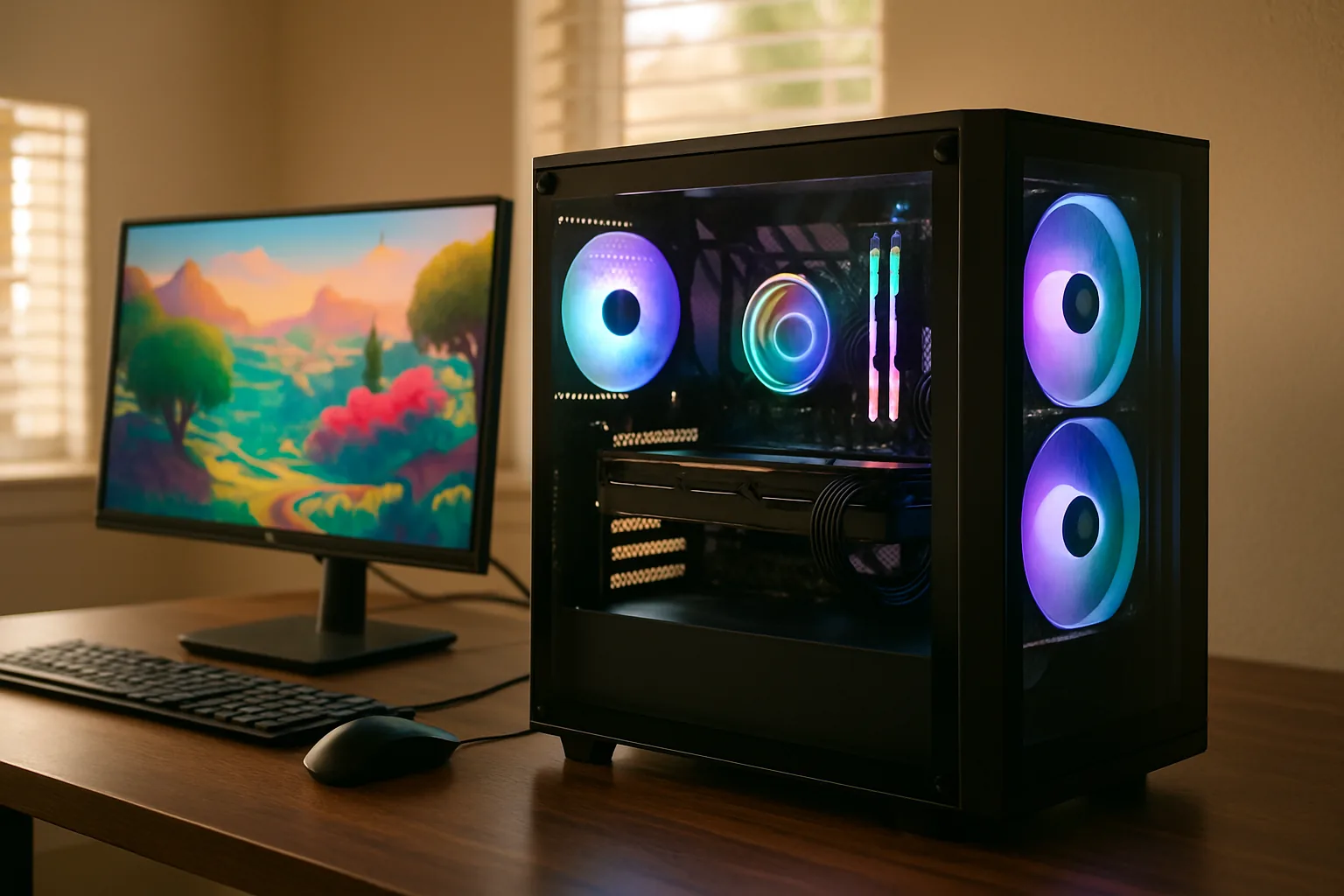

When tech headlines scream about “outdated” gaming hardware, it’s easy to panic about your own setup. But here in Turlock, where we repair and upgrade gaming PCs every day, we’ve learned that gaming PC performance depends on much more than just having the newest GPU. The recent buzz about Steam Deck’s GPU being “completely outdated” compared to budget mini PCs misses the bigger picture—and might lead you to waste money on upgrades you don’t actually need.
Why Raw Specs Don't Tell the Whole Story
The tech press loves comparing benchmark numbers, but those numbers rarely reflect real-world gaming experience. A GPU that looks better on paper might perform worse in actual gameplay due to driver optimization, power delivery, thermal constraints, or system bottlenecks.
The Steam Deck illustrates this perfectly. Its custom AMD APU uses RDNA 2 architecture from 2020, which technically makes it “old” by tech standards. Yet it delivers smooth 1280×800 gameplay at 60fps for most titles because every component is optimized to work together efficiently.
Compare that to slapping a newer GPU into a mismatched gaming PC, and you’ll often see disappointing results. We see this constantly at our Geer Road shop when customers bring in gaming rigs that aren’t performing as expected despite recent upgrades.
- System balance matters more than individual specs.A mid-range GPU paired with appropriate CPU and RAM usually outperforms a flagship GPU bottlenecked by other components.
- Thermal design impacts performance dramatically.A “slower” chip running cool will often beat a “faster” chip thermal throttling under load.
- Software optimization beats raw power.Games optimized for specific hardware architectures run better than poorly optimized games on cutting-edge chips.
- Power efficiency extends real-world usability.Portable and compact systems need thermal headroom that flagship components simply can’t provide.
For Turlock gamers, this means thinking holistically about your system rather than chasing benchmark scores. Your gaming PC performance depends on how well all the parts work together, not just the newest GPU.
Form Factor Changes Everything
Mini PCs and handheld gaming devices face completely different engineering challenges than traditional desktop towers. When you shrink a system down, you can’t just miniaturize the components—you have to rethink thermal design, power delivery, and performance targets entirely.
A budget AMD mini PC might benchmark higher than a Steam Deck in synthetic tests, but it’s also tethered to a wall outlet, produces more heat, requires external peripherals, and can’t fit in your backpack. These aren’t minor differences—they represent fundamentally different use cases.
We help customers with every type of gaming PC at our Turlock repair shop, and the upgrade paths are completely different depending on form factor. What works for a full tower won’t work for a compact build.
- Thermal headroom determines sustained performance.A system that runs cool for hours beats one that peaks high but throttles after minutes.
- Power draw limits portability and noise.Higher-wattage components need bigger power supplies, more cooling, and generate more fan noise.
- Physical size constrains expandability.Mini PCs and handhelds typically can’t be upgraded beyond storage and sometimes RAM.
In the Central Valley heat, thermal management becomes even more critical. Those summer afternoons when your room hits 95°F will push even well-cooled systems to their limits.
The Real Cost of Gaming Performance
Headlines about “cheap” mini PCs outperforming dedicated gaming devices rarely account for the total cost of ownership. That $300 mini PC needs a monitor, keyboard, mouse, and Windows license—suddenly you’re at $600-700 for a non-portable setup.
Meanwhile, the Steam Deck includes a screen, controls, battery, and SteamOS in one package. Comparing prices without accounting for these differences is like comparing a motorcycle to a car based solely on engine size.
We’ve helped dozens of Turlock customers evaluate upgrade and purchase decisions, and the math changes dramatically based on what you already own and what you actually need. Gaming PC performance per dollar is meaningless without context.
- List what you already haveInventory your current peripherals, monitors, and accessories before pricing any new system.
- Define your actual use caseBe honest about where and how you’ll game—desk-only, couch, travel, or multiple locations.
- Research compatibility requirementsCheck whether your games run on Linux/SteamOS or require Windows, and factor in licensing costs.
- Consider upgrade pathsDesktop towers offer long-term expandability that compact systems can’t match, affecting 5-year costs.
- Factor in your time and expertiseBuilding and maintaining custom systems requires knowledge and troubleshooting time many people underestimate.
Software Optimization Beats Hardware Specs
The Steam Deck’s secret weapon isn’t its hardware—it’s the tight integration between SteamOS, Proton compatibility layer, and Valve’s game-specific optimizations. This is why older hardware can deliver surprisingly good frame rates and battery life.
On the gaming PC side, proper driver updates, background process management, and game settings make enormous differences in performance. We’ve seen gaming systems gain 30-40% performance just from proper software configuration.
Most Turlock residents who bring gaming PCs to us for “slow performance” don’t have hardware problems—they have optimization issues. Bloatware, outdated drivers, thermal paste degradation, or dust buildup are killing their gaming PC performance, not aging components.
- Driver updates affect frame rates significantly.GPU manufacturers release game-specific optimizations that can improve performance 10-20% for new titles.
- Cooling system maintenance restores lost performance.Dust accumulation and dried thermal paste cause thermal throttling that degrades gaming experience over months.
- Background software steals system resources.Unnecessary startup programs and services consume RAM and CPU cycles that should go to games.
- In-game settings offer huge performance gains.Understanding which graphics settings impact visuals versus performance lets you optimize for smooth gameplay.
Before you spend hundreds on new hardware, invest an hour in optimization. The performance gains often rival what you’d get from expensive upgrades.
Smart Upgrades for Real Performance Gains
When upgrades actually make sense, knowing where to spend your money matters enormously. Not all components deliver equal gaming performance improvements, and some upgrades are wasted money if other bottlenecks exist.
For most gaming PC builds we service in Turlock, RAM and storage upgrades deliver better real-world improvements than GPU upgrades. That’s because many systems are already GPU-adequate for 1080p gaming but are held back by insufficient RAM or slow hard drives.
If you’re unsure what your system needs, our team at 2101 Geer Road can run diagnostics to identify actual bottlenecks rather than guessing based on age or specs. You can book an appointment online or just stop by during business hours.
- SSD upgrades transform gaming PC responsiveness.Moving from HDD to NVMe SSD dramatically improves game load times and eliminates stuttering from asset streaming.
- RAM upgrades eliminate loading bottlenecks.16GB is minimum for modern gaming; 32GB lets you keep browsers and Discord open without performance hits.
- Better cooling unlocks existing potential.Upgraded CPU coolers and case fans prevent thermal throttling, letting your current hardware perform at spec.
- Power supply upgrades enable future expansion.A quality PSU with headroom lets you add better GPUs later without another upgrade cycle.
When New Hardware Actually Makes Sense
Despite everything we’ve said about optimization and smart upgrades, sometimes new hardware genuinely is the right answer. The key is knowing when you’ve hit the limits of your current platform versus when you’re being swayed by marketing.
If your gaming PC is more than 5-7 years old, or if you’re trying to game at 1440p or 4K, or if you want to stream while gaming, then yes—newer components will make a real difference. But even then, targeted upgrades often beat complete replacements.
We help Turlock customers make these decisions regularly, and the answer is never one-size-fits-all. Your budget, current gaming PC, gaming preferences, and timeline all factor into whether upgrading or replacing makes more sense.
- Platform limitations prevent meaningful upgrades.Older motherboards with PCIe 3.0 and DDR3 RAM have hit their ceiling—new builds make more sense.
- Resolution jumps require proportional power.Moving from 1080p to 1440p or 4K gaming needs significantly more GPU power that older cards can’t deliver.
- Multi-use workloads benefit from modern features.Content creation, streaming, and heavy multitasking leverage newer CPU architectures and core counts effectively.
- Energy efficiency saves money long-term.Newer components deliver better performance per watt, reducing electricity costs over years of use.
The bottom line: don’t let clickbait headlines convince you that last year’s hardware is suddenly useless. Focus on your actual gaming experience and upgrade when you hit specific limitations, not arbitrary age thresholds.
Performance gain from optimization
Typical temp reduction after cleaning
Typical gaming PC lifespan
Speed boost from SSD upgrade
Frequently asked questions
Is my gaming PC too old if it's more than three years old?
Not at all. Most gaming PCs remain perfectly capable for 5-7 years with proper maintenance and targeted upgrades. Age matters less than whether your system meets your current gaming needs. If you’re playing at 1080p and getting acceptable frame rates, your system isn’t too old—it’s working fine. Focus on optimization and consider upgrades only when you notice specific performance limitations affecting your gaming experience.
Should I upgrade my GPU or get more RAM for better gaming performance?
It depends on your current bottleneck. If you have less than 16GB RAM, that upgrade should come first—it’s cheaper and often delivers more noticeable improvements in modern games. GPU upgrades make sense when you’re already running 16GB+ RAM, have a decent CPU, and specifically want higher frame rates or better graphics quality. We can run diagnostics to identify your actual bottleneck rather than guessing. Bring your system to our Turlock shop for a free performance assessment.
Why does my gaming PC slow down over time even without hardware changes?
Three main culprits: dust accumulation causes thermal throttling, background software consumes more resources with each update, and storage fragmentation slows load times. Regular maintenance every 6-12 months—cleaning dust, updating drivers, removing bloatware, and optimizing storage—keeps systems running like new. Most gaming PC performance degradation is software and maintenance-related, not hardware aging. A professional cleaning and optimization often restores performance without any component upgrades.
How much should I spend on a gaming PC upgrade in 2024?
Start with $150-300 for high-impact upgrades like adding an NVMe SSD or upgrading to 32GB RAM—these deliver the best performance-per-dollar. Mid-range GPU upgrades run $300-600 and make sense if you’re GPU-limited at your target resolution. Anything beyond $600 should be evaluated carefully against building a new system. Bring your current specs and gaming goals to our shop on Geer Road, and we’ll help you plan upgrades that make financial sense for your specific situation.
Get Honest Advice on Your Gaming PC Upgrade
Not sure whether to upgrade or optimize? Bring your gaming rig to Turlock Computer Repair at 2101 Geer Road, Suite 101, or call us at (209) 661-9171. We'll run diagnostics, identify actual bottlenecks, and give you straight answers about what will—and won't—improve your gaming experience. Walk-ins welcome Monday through Saturday, 9 AM to 6 PM.
Bottom line: Gaming PC performance depends far more on system balance, optimization, and maintenance than having the newest components—spend your upgrade budget wisely on actual bottlenecks, not marketing hype.

Local, walk-in computer repair at Turlock Professional Park. Tune-ups, SSD upgrades, virus removal and cleanings for laptops, desktops, Macs and gaming PCs — most fixed the same day. (209) 661-9171

2 Responses