Tech Tips From The Bench · Homelab & DIY Computing
Budget Mini PCs for a Homelab: What to Check Before Buying
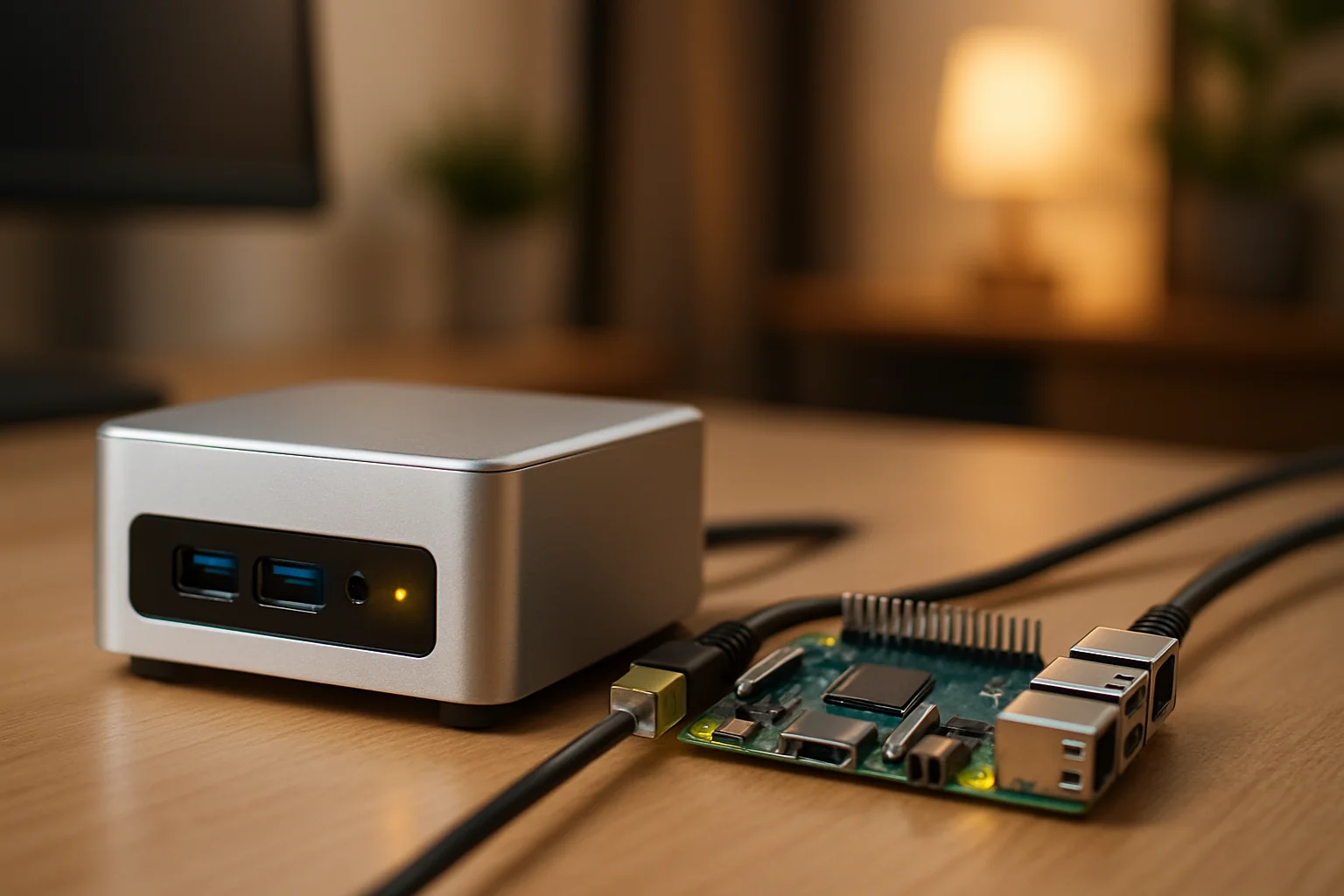

A used mini PC can be an affordable starting point for a home lab. Small business desktops and thin clients are worth comparing with single-board computers such as Raspberry Pi, but the best choice depends on the exact hardware, total cost and project requirements.
What Changed in the Mini PC Market
Raspberry Pi and used business PCs can both run useful home-lab projects. Compare the complete setup, including storage, memory, power supply, cooling and software support.
Used thin clients and small business desktops may become available when organizations replace their equipment. Availability and condition vary; a low advertised price can exclude essential parts.
Models such as Dell Wyse, HP thin clients and Lenovo ThinkCentre Tiny use x86 processors. Before buying, check the exact configuration rather than assuming that every unit includes upgradeable memory or an SSD.
How Budget Mini PCs Compare with Raspberry Pi
Budget mini PCs may offer useful expansion and software options. Raspberry Pi can be a better fit for hardware projects, compact installations and its educational ecosystem.
- Real x86 Architecture.An x86 processor can broaden software choices, but the CPU, firmware, drivers and operating system must meet each application’s requirements. Many older thin clients are not eligible for Windows 11.
- Built-in Storage.Some used PCs include an SSD; others ship with small eMMC storage or no drive. Raspberry Pi also supports storage options beyond microSD, depending on the model and accessories.
- More RAM Options.Some mini PCs have replaceable memory modules; others do not. Raspberry Pi 5 is available with up to 16GB of onboard RAM. Check the supported capacity before buying.
- Check Power Consumption.Power use varies with the processor, storage, connected devices and workload. Measure consumption at the wall if operating cost matters; do not assume a used mini PC is more efficient than a Raspberry Pi.
- Proper Cooling.Cooling designs vary. Keep vents clear, follow the manufacturer’s operating-temperature limits and choose appropriate cooling for either platform.
Before planning an always-on system, check cooling, the condition of the power adapter and the hardware requirements of the services you intend to run.
Popular Models Worth Your Attention
The following are examples of used-model families to investigate, not verified current deals. Configurations and supported upgrades vary within each family.
The Dell Wyse 5070 is available with Intel Celeron or Pentium processors. Its M.2 storage connector uses SATA, so an M.2 NVMe drive is not a substitute. Check Dell’s manual and the seller’s configuration before choosing RAM or storage.
The HP t730 is another used thin-client option. Check its supported operating systems, memory limit and expansion configuration against your project’s requirements.
Lenovo ThinkCentre Tiny systems include many generations and configurations. Verify the processor, storage interfaces, memory slots and any Windows license included with the exact unit.
Compare the total usable system cost, including the power supply, case, storage, memory and cooling. A low-cost bare unit may need enough upgrades to erase its apparent savings.
Setting Up Your Budget Mini PC Homelab
Getting your budget mini PC up and running is straightforward, but a few steps ensure you start strong. Here’s the practical path from unboxing to productive homelab.
- Inspect and CleanShut down and unplug the system, then follow its service manual before opening it. Check for damage, missing parts and dust. Use appropriate antistatic precautions and avoid opening the power supply.
- Upgrade Storage and RAMMatch memory and storage to your workload. A lightweight DNS service has different needs from virtual machines or a media library. Verify supported modules and drive interfaces before buying upgrades.
- Choose Your Operating SystemUbuntu Server, Debian, or Proxmox are popular choices. Download the ISO, create a bootable USB drive, and install fresh. Don’t trust whatever OS came with used hardware.
- Configure BIOS SettingsEnable Wake-on-LAN if you want remote power control, set auto-restart after power loss for reliability, and configure fan curves if temperatures run high.
- Set Up Static IPYour homelab devices need consistent addresses. Configure a static IP in your router’s DHCP reservation settings or in the OS network configuration.
- Install Your First ServiceStart simple with something like Pi-hole for network-wide ad blocking or Plex for media streaming. Success breeds confidence for more complex projects.
Start with one service, document your changes and make a backup of its configuration before adding more complexity.
Practical Projects for Your Budget Computer
The beauty of a budget mini PC is that it’s cheap enough to dedicate to a single purpose without guilt. Here are projects that work brilliantly on this hardware.
A home automation hub running Home Assistant turns your mini PC into the brain of a smart home. Local control depends on each device and integration; some smart-home products still require cloud accounts or subscriptions.
A network-attached storage (NAS) project needs suitable storage connections and independent backups. Check the operating system’s hardware guide before choosing a thin client. TrueNAS advises against USB-connected disks for primary storage; a USB enclosure is not a substitute for a properly planned storage system.
A Pi-hole DNS server can block requests to selected advertising and tracking domains for devices using it as their DNS resolver. It does not block every ad, and devices or applications using other DNS services may bypass it.
- Development Test Server.Spin up web applications, databases, or test environments without cluttering your main computer. Break things safely.
- VPN Gateway.Install WireGuard or OpenVPN to securely access your home network when traveling. Handy for grabbing files or managing other devices remotely.
- Game Server Host.Check the game server’s CPU, memory and networking requirements first. Performance depends on the game, number of players, mods and exact hardware.
Other possible projects include a test web server or a small monitoring service. Keep experimental services separate from important data and avoid exposing them to the internet before securing them.
Gotchas and Limitations to Know Upfront
While budget mini PCs offer incredible value, they’re not perfect for every situation. Understanding the limitations helps set realistic expectations and avoid disappointment.
First, these are used business machines with unknown service histories. You might receive a unit that fails after a month, or one that runs flawlessly for five years. Check the seller’s return policy and any warranty; coverage varies and may be limited.
Processing power remains modest—perfect for server tasks, terrible for gaming or video editing. Don’t expect to run intensive applications that would challenge even modern desktop computers.
Expansion options vary. Count the actual USB ports and supported internal drives, and check network connections before buying.
Finding a suitable used system within a tight budget can take patience. Compare sold prices where available and inspect the seller’s description, photos and return terms.
Write down your project goals before shopping. A machine that is inexpensive but cannot support the required drives, memory or operating system may be poor value.
Is a Budget Mini PC Right for You?
The budget mini PC revolution offers genuine opportunities for hobbyists, tinkerers, and practical home users who want more than their main computer can provide. The value proposition is real when you need dedicated hardware for specific tasks.
You’re an ideal candidate if you want to learn Linux, run home automation, host small services, or experiment with virtualization without spending hundreds on new equipment. Keep a budget for accessories and replacement parts as well as the initial purchase.
For an always-on system, estimate monthly electricity use as watts × 24 × 30 ÷ 1,000. For example, a measured 10–15W load uses about 7.2–10.8 kWh in a 30-day month. Multiply that by your own electricity rate; this is an example, not a measured specification for every mini PC.
However, stick with Raspberry Pi if you need GPIO pins for hardware projects, require the absolute smallest footprint, or want the extensive educational resources built around that platform. And if you need warranty support and guaranteed performance, buying new hardware makes more sense despite the higher cost.
Before committing, compare the hardware requirements and documentation for your chosen project. Start small and keep backups of data you cannot replace.
Actual power draw
Supported RAM
Important data
Total system cost
Frequently asked questions
Where can I find budget mini PCs in the Turlock area?
Used-equipment marketplaces and business surplus sellers may list thin clients and mini PCs. Search by exact model and compare configuration, seller reputation, return terms and total delivered cost. This guide does not verify a current local listing or a $50 offer.
Can a budget mini PC replace my main computer?
Probably not for daily use. These machines excel at dedicated server tasks, learning projects, and background services, but lack the processing power for modern web browsing with dozens of tabs, photo editing, gaming, or video work. Think of them as supplemental computers that handle specific jobs 24/7 while your main machine stays free for regular computing. They’re servants, not replacements.
What's the power cost to run one of these continuously?
Measure the system’s average wattage, multiply by 24 hours and 30 days, then divide by 1,000 to estimate monthly kWh. Multiply by your electricity rate. Power consumption changes with workload and connected equipment.
Do I need technical skills to set up a homelab mini PC?
Basic computer literacy helps, but you don’t need to be a programmer. If you can install an operating system, follow online tutorials, and aren’t afraid of occasional troubleshooting, you’ll be fine. The homelab community provides excellent documentation for common projects. Start with simple projects like Pi-hole and build confidence before tackling complex virtualization. Use the project’s official documentation and keep a record of your setup.
Need Help With Your Homelab Setup?
For help with a computer problem, call Turlock Computer Repair at (209) 661-9171 or use the repair booking page.
Bottom line: The budget mini PC represents real value for the right applications, offering homelab enthusiasts in Turlock and beyond a practical alternative to more expensive or limited computing options.

Local, walk-in computer repair at Turlock Professional Park. Tune-ups, SSD upgrades, virus removal and cleanings for laptops, desktops, Macs and gaming PCs. (209) 661-9171